Ebook & audiobook reader for Android

Read, and be read to.
Every kind of book.

Lectern is a private, offline reader for Android that opens EPUB, PDF, comics and more, and reads the text ones aloud with on-device voices. No account, no ads, and no one keeping tabs on what you read.

  • Works offline
  • No ads
  • No account
  • No tracking

One-time €2.49. No subscription, no ads. Price and VAT vary by country.

One reader for your whole shelf

  • EPUB
  • EPUB3
  • PDF
  • MOBI
  • KF8
  • FB2
  • TXT
  • CBZ
  • CBR
  • CB7
  • Fixed-layout

What is Lectern?

Lectern is a private, offline ebook and audiobook reader for Android. It opens EPUB, PDF, MOBI, FB2 and comic files, reads the text ones aloud with on-device text-to-speech, and keeps your reading position in sync across devices through a cloud folder you own. There are no ads, no account and no tracking.

It's a paid app made by Hofstack, built for readers who want one calm app for their whole library (books, PDFs, comics and their own audiobooks) that works with no connection and keeps what they read to themselves.

Platform
Android: phone, tablet and e-ink
Formats
EPUB, EPUB3, PDF, MOBI, KF8, FB2, TXT, and CBZ / CBR / CB7 comics
Read-aloud
On-device text-to-speech with system, Piper and Kokoro voices; sentence-by-sentence highlighting; EPUB3 Media Overlays
Audiobooks
Link your own M4B or MP3 files to a book, with a sleep timer and ambient sound
Sync
Account-less, through your own Google Drive, Dropbox, OneDrive or Nextcloud folder
Privacy
100% offline runtime · no ads · no account · no analytics or tracking
Price
One-time €2.49 (price varies by country), no ads
Languages
English, Dutch, German, French, Italian, Arabic, Chinese, Japanese and Hindi

A look inside

How it really looks

Real screens from the app, not mock-ups.

The Lectern library showing a grid of book covers
Your libraryCovers, search, groups and filters
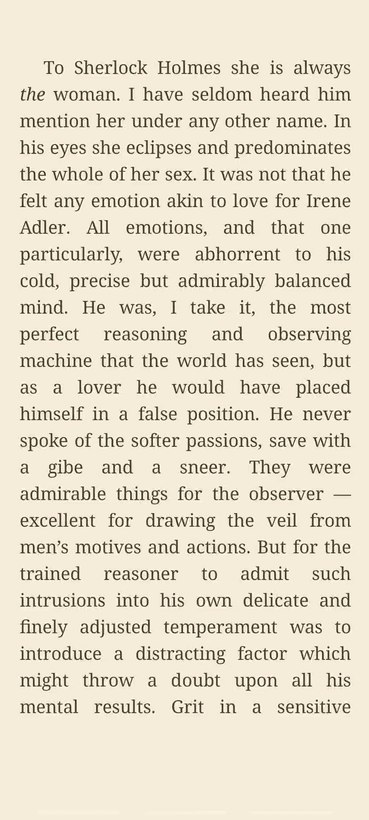
A reading page in Lectern with careful serif type on a warm page
The readerCareful type, set up your way
The reader in audio mode with playback controls for reading a book aloud
ListenRead-aloud with on-device voices
Lectern reader settings with theme swatches, fonts and spacing controls
Make it yoursThemes, fonts and presets
The statistics screen with a daily reading tracker, streak and activity heatmap
Your readingStreaks, goals and a heatmap
Browsing OPDS catalogs such as Project Gutenberg to download public-domain books
Find booksPublic-domain OPDS catalogs built in

Everyday library care

Small tools that keep reading moving

Lectern keeps the maintenance work close at hand, but out of the way until you need it.

Stats show streaks, goals and reading rhythm without turning books into chores.
Book info lookup fills missing titles, authors and covers so your library stays readable.

What it does

A lot, without getting in your way

Six things Lectern is built around. Most of the depth stays out of sight until you go looking for it.

Read it your way

Pick a theme, a font (OpenDyslexic is in there) and the size, spacing and margins you like, or tap a reading profile and start. Page or scroll, full-screen or not. It keeps drop caps, verse and scene breaks the way the author set them.

Listen to any book

Have a book read aloud with on-device voices, from your system's to higher-quality Piper and Kokoro packs. It highlights the sentence as it goes and plays narrated EPUB3 books too.

More on listening →

Sync, on your terms

Keep your reading in step across phones and tablets through a folder you control on Drive, Dropbox, OneDrive or Nextcloud. Progress, bookmarks, highlights and ratings come along. No account, no server.

How sync works →

Bring in books

Open files you already have, or pull public-domain titles from Standard Ebooks and Project Gutenberg over OPDS. Add your own catalog, or send a book straight from another app. Missing covers get found for you.

Study & annotate

Highlight in colour, add notes, and browse them per book or share one as a quote card. Look up any word in the built-in dictionary, keep it in a vocabulary list with spaced repetition, and search the whole book.

Organize & track

Group by author, series, genre or language, make your own collections, and filter or sort however you read. A stats screen follows your time, streaks and goals, with a heatmap and a year-in-review to share.

Listening

A reader and an audiobook player in one

Lectern can read any book to you with offline voices, follow narrated audio, or play an audiobook you already own. It all runs on the device, so it works on a plane or in the woods.

  • On-device voices: your system's, plus Piper and Kokoro packs
  • Read-along highlighting, sentence by sentence
  • Narrated EPUB3 books through Media Overlays
  • Link your own M4B or MP3 audiobook to a book
  • Lively reading: questions lift, exclamations quicken
  • Set the speed, pitch and pauses between sentences
  • Ambient tracks: rain, fireplace, forest, brown noise and more
  • Sleep timer, and it keeps playing with the screen off
▶ Tap to play: hear the Kokoro voice read aloud, each sentence highlighted as it goes.

Your own sync

Pick up where you left off, anywhere

There's no Lectern account and no server in the middle. Sync runs through a folder you already own, so your reading travels between your phone and tablet and nobody else ever sees it.

  • Use a folder on Drive, Dropbox, OneDrive or Nextcloud
  • Reading position, bookmarks, highlights and ratings stay in step
  • Each device writes its own snapshot, merged automatically
  • A clear picker when two devices disagree
  • Back up and restore everything to a single file
  • Import your Kindle highlights from My Clippings

In step across devices

PhoneChapter 14 · 62% synced
TabletChapter 14 · 62% synced
Your cloud folderProgress · bookmarks · highlights yours

Reads the way it was written

The bits other readers throw away

Most apps mash a poem into one justified blob and turn a scene break into a thin grey line. Lectern keeps what the author meant, and still reads the same from one book to the next.

  • Verse keeps its line breaks instead of stretching to the edge
  • Scene breaks become a small centered ornament
  • Chapters can open with a proper drop cap
  • Tables, footnotes and images render in place
Poetry, intact

Roses are red,violets are blue,sugar is sweet,and so are you.

Scene breaks, with grace

…and the door fell shut behind her.

* * *

Morning found the camp already broken…

The long list

And quite a bit more

Dozens of touches across eight areas, none of them shouting for attention until you need them.

  • Reading
  • Listening
  • Library
  • Study
  • Statistics
  • Import & export
  • PDF & comics
  • Privacy & access

See the complete feature list →

Nobody's looking over your shoulder

No account, no analytics, none of the usual tracking. Your books, highlights and progress sit on your phone, and sync only through a folder you own. The reader works completely offline; it goes online when you ask it to, to fetch a catalog or sync. What you read stays your business.

How it compares

Lectern vs other Android readers

An honest look at where Lectern differs from ReadEra, Moon+ Reader and Librera. They're all good apps. They just make different trade-offs.

Feature comparison, July 2026. Other apps change often. Check their store listings for the latest.
Feature Lectern ReadEra Moon+ Reader Librera
PricePaid, no adsFree, no adsFree with ads · paid ProFree with ads · paid Pro
Ads & trackingNone at allNo adsAds in free tierAds in free tier
Neural on-device voicesPiper & KokoroSystem TTSdevice voicesSystem TTSTTS is Pro-onlySystem TTSdevice voices
Read-along highlightingSentence by sentenceBasicYesProYes
Link your own audiobooksM4B / MP3 + Media OverlaysNoNoNo
Account-less device syncYour own cloud folderLocal onlyCloud syncvia app/serviceVia your storage
Faithful typographyVerse, drop caps, ornamentsStandardStandardStandard
Office & DjVu filesNoDOC, DOCX, DjVuNoDOC, DOCX, DjVu
Open sourceNoNoNoYes (F-Droid)

Loved by readers

What readers say

★★★★★ 4.4 / 5 from readers on Google Play
Fantastic service, with a built-in and external book search. Highly recommended. Oh, and I almost forgot, no trackers.
A reader on Google Play · translated from Italian
Recommended. The service is truly complete and it just works. Thank you.
Roberto Lazoi · Google Play, translated from Italian
Excellent and functional.
Leo Spidi · Google Play, translated from Italian
Absolutely worth the money, the TTS integration is great.
Sander Muller · Google Play
Wow, this app is great, I use it constantly for my ebooks.
Nick Dissel · Google Play
It's worked well so far and met my expectations.
Renato Aguiar · Google Play, translated from Portuguese

Read the reviews on Google Play →

Good to know

Frequently asked

Is Lectern free?

No. Lectern is a one-time purchase of €2.49 (price varies by country), with no ads and no in-app purchases. You buy it once and it's yours.

Does it really work offline?

Yes. Reading, the read-aloud voices, highlights, the dictionary and your library all work with no connection. The only time it goes online is for an optional catalog or sync that you set up yourself.

Can it read books out loud?

Yes, using on-device voices: your system's, plus higher-quality Piper and Kokoro neural packs. It highlights the sentence it's reading, plays narrated EPUB3 books, and can run ambient sound and a sleep timer.

Can it read PDFs aloud?

Yes. Lectern reflows text-based PDFs into flowing text, then reads them aloud with the same on-device voices. Scanned, image-only PDFs have no text layer, so they can be viewed but not read aloud.

Can I play my own audiobooks?

Yes. You can link your own M4B or MP3 audiobook to a book, and Lectern also follows EPUB3 Media Overlays for professionally narrated titles.

What can it open?

EPUB and EPUB3, PDF, MOBI and KF8, FB2, plain text, and CBZ, CBR and CB7 comics, including fixed-layout books.

Can I sync between devices?

Yes, through a folder you control on Google Drive, Dropbox, OneDrive or Nextcloud. Your reading position, bookmarks, highlights and ratings stay in step across devices, with no Lectern account or server in between.

Does Lectern show ads or track me?

No. There are no ads, no analytics and no tracking of any kind. Your books, highlights and reading statistics stay on your device.

Which devices does it run on?

Android phones and tablets, and it behaves well on e-ink devices thanks to a reduce-motion option and calm defaults.

Is it good for dyslexia or e-ink?

Yes. OpenDyslexic is built in, there's a one-tap Dyslexia preset, and a reduce-motion option keeps things calm on e-ink screens.

Can I import my Kindle highlights?

Yes. Lectern can import your Kindle highlights from a “My Clippings” file, and can export your highlights to Markdown or JSON.

Is Lectern open source?

No. Lectern is a paid, closed-source app made by Hofstack. It uses some open components (such as Piper / sherpa-onnx voices) but the app itself isn't open source.

How is Lectern different from ReadEra, Moon+ Reader or Librera?

Lectern focuses on high-quality on-device read-aloud (neural Piper and Kokoro voices), an ebook-and-audiobook combo, faithful typography and account-less sync, with no ads at any tier. See the full comparison.

What languages is it in?

The app is translated into English, Dutch, German, French, Italian, Arabic, Chinese, Japanese and Hindi.

Where can I read Lectern's privacy policy?

On the privacy page. In short: no servers, no accounts, no ads, no tracking. Your data stays on your device.

Say hello

Get in touch

Found a bug, want a feature, or just want to talk about books? Write to us. We read everything that comes in.

info@lecternreader.app

Meet the makers

Give it a try

On Google Play. Bring your own books.

Get it onGoogle Play